
Connect Audionotes with Webhooks

How to Connect Audionotes with Webhooks

How to Connect Audionotes with Webhooks

Log in to Audionotes

  • Open Audionotes Web and log in to your account.

  • From the left sidebar, go to Integrations.

  • Click Connect on the Webhook integration card.

Step 1: Enter Your Webhook URL

Step 1: Enter Your Webhook URL

Paste your webhook URL in the field provided. Make sure your webhook URL is public and correct.
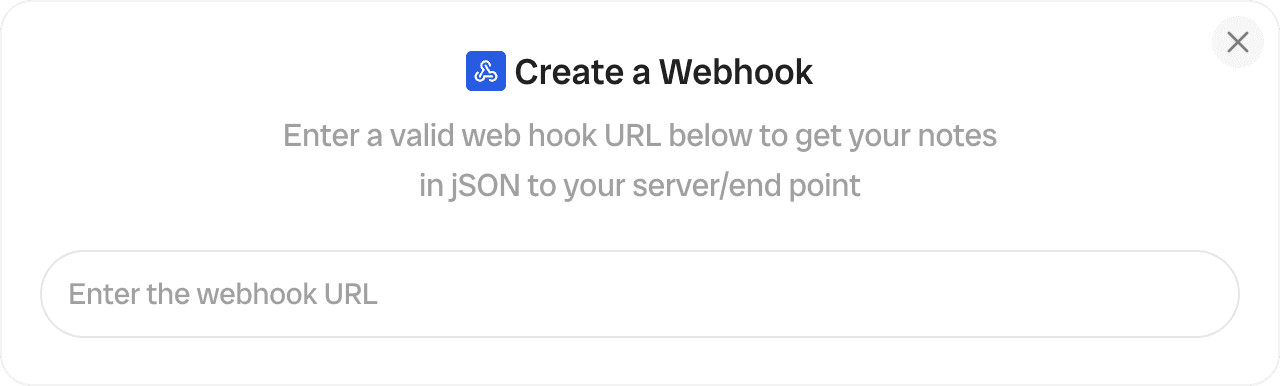
Enter webhook URL to send Audionotes data to external server

Step 2: Connect and Finish Setup

Step 2: Connect and Finish Setup

Click Connect. Once connected, every new note you create will be sent to your webhook in the following JSON format:

{
  "noteId": "string",
  "createdAt": "string",
  "noteType": "string",
  "title": "string",
  "transcript": "string",
  "content": "string"
}
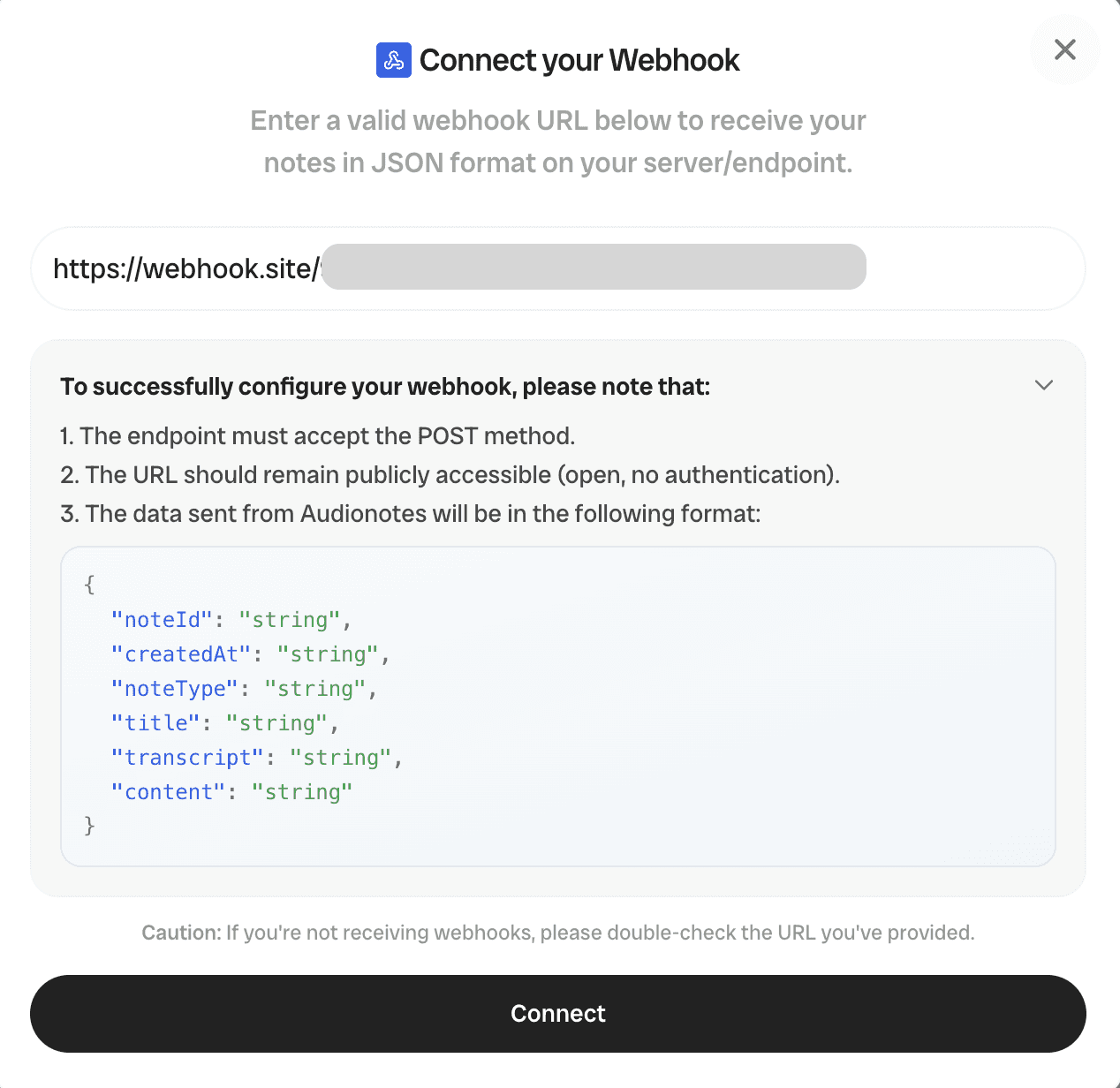
Connect webhook setup showing JSON format for notes data and connect button

We’re Here to Help

We’re Here to Help

Explore FAQs, guides, and integrations, all designed to keep you supported every step.

Plans & Pricing

Plans & Pricing

Choose a plan based on your requirements. Audionotes is for everyone.

Monthly

Annual

Upto 35% off

Pro

$129.99

/year

Advanced access to boost productivity.

Save upto 35%

What’s Included

Unlimited Voice Notes

Unlimited File Uploads

Unlimited Text Notes

Unlimited Notes from YouTube Video

Notion and Zapier Integrations

Mind Maps

Chat with Notes

Notes from Images

WhatsApp Bot

Recording size and file size limits may apply owing to device limitations and fair usage policy

Monthly

Annual

Upto 35% off

Pro

$129.99

/year

Advanced access to boost productivity.

Save upto 35%

What’s Included

Unlimited Voice Notes

Unlimited File Uploads

Unlimited Text Notes

Unlimited Notes from YouTube Video

Notion and Zapier Integrations

Mind Maps

Chat with Notes

Notes from Images

WhatsApp Bot

Recording size and file size limits may apply owing to device limitations and fair usage policy

Monthly

Annual

Upto 35% off

Pro

$129.99

/year

Advanced access to boost productivity.

Save upto 35%

What’s Included

Unlimited Voice Notes

Unlimited File Uploads

Unlimited Text Notes

Unlimited Notes from YouTube Video

Notion and Zapier Integrations

Mind Maps

Chat with Notes

Notes from Images

WhatsApp Bot

Recording size and file size limits may apply owing to device limitations and fair usage policy

Need a custom solution?

Need a custom solution?

Get in touch with our team to learn more.

Get in touch with our team to learn more.

Get In Touch

Frequently Asked Questions

Frequently Asked Questions

What are webhooks?

A webhook lets one app automatically send real-time data or notifications to another app when a specific event happens. Audionotes uses webhooks to send your notes to your webhook endpoint each time you create a new note.

How do I accept webhooks?

You’ll need a server with an endpoint that can receive and process webhook requests.

Will I get my older notes via webhooks?

No. Only notes created after connecting to webhooks will be sent to your endpoint.

Why am I not receiving my notes via webhooks?

Double-check that you entered the correct webhook URL Ensure your webhook endpoint is public and accessible.

What format will I receive data in?

All data is sent in JSON format as shown below:

{ "noteId": "string",
"createdAt": "string",
"noteType": "string",
"title": "string",
"transcript": "string",
"content": "string"}

Can I change the event format or the fields I receive?

No. The webhook structure is fixed, and you will always receive data in the format above.

Get the Audionotes app today

Get the Audionotes app today

Get the Audionotes app today

Still not sure that Audionotes.app is right for you?

Let ChatGPT, Claude, or Perplexity help you to choose.
Click a button and see what your favourite AI says about Audionotes.app.